
Appearance
Expression
The expression edge controls sequence flow based on your data: it's followed when a JavaScript expression is true.
Double-click an expression edge in the workflow designer to open Edit Expression Edge.
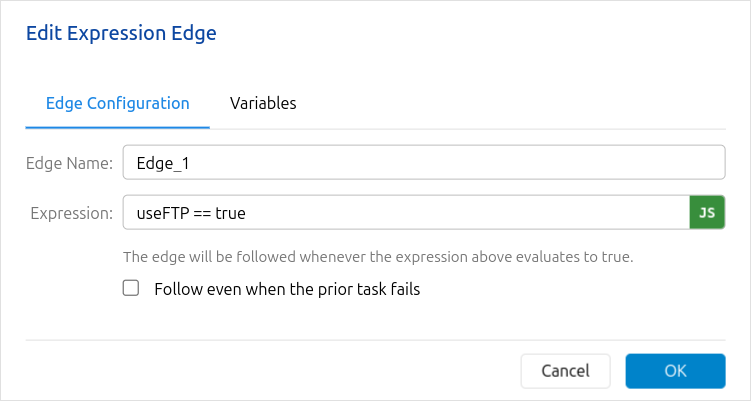
| Setting | Meaning |
|---|---|
| Edge Name | The edge's name |
| Expression | A JavaScript expression. The edge is followed whenever it evaluates to true. In this example, the edge is followed when the variable useFTP is true |
| Follow even when the prior task fails | Normally an expression edge is only followed when the prior task succeeds. Check this to test the expression after a failure too |
Variables
Like every edge, an expression edge can set or change variables when it's followed, on the Variables tab. It works the same way as on the basic edge.
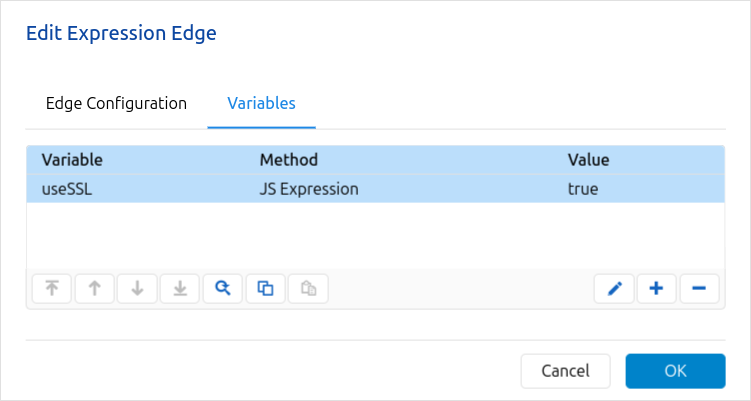
Here, following the edge sets useSSL to true.
For more on expression edges, see Expression Edges and Assigning Variables with Edges.