
Appearance
Authentication
Authenticate with Situate using API keys.
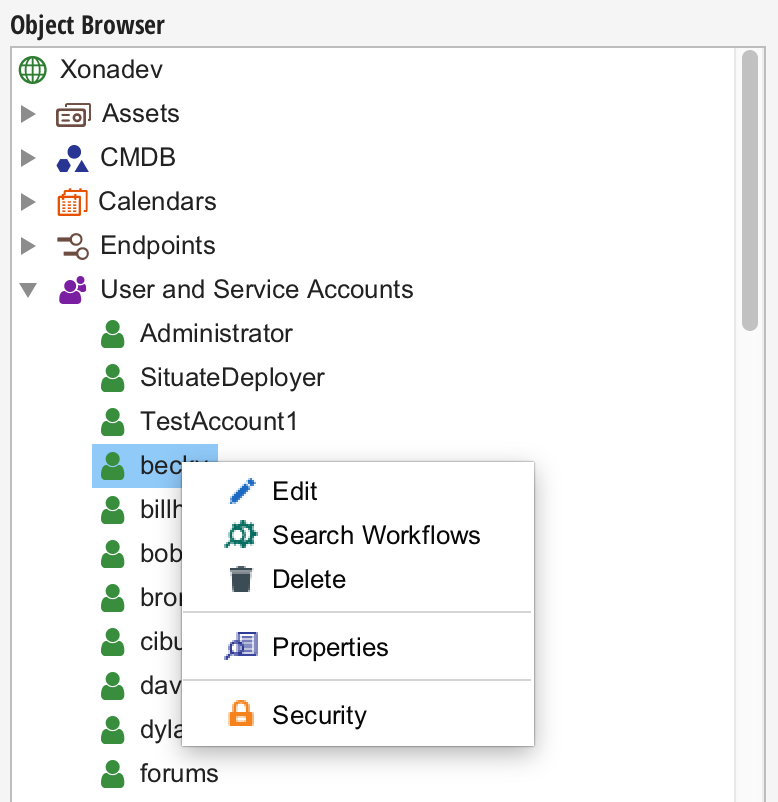
To set up an API key from the UI, edit the service account of the user whose security context is to be used.
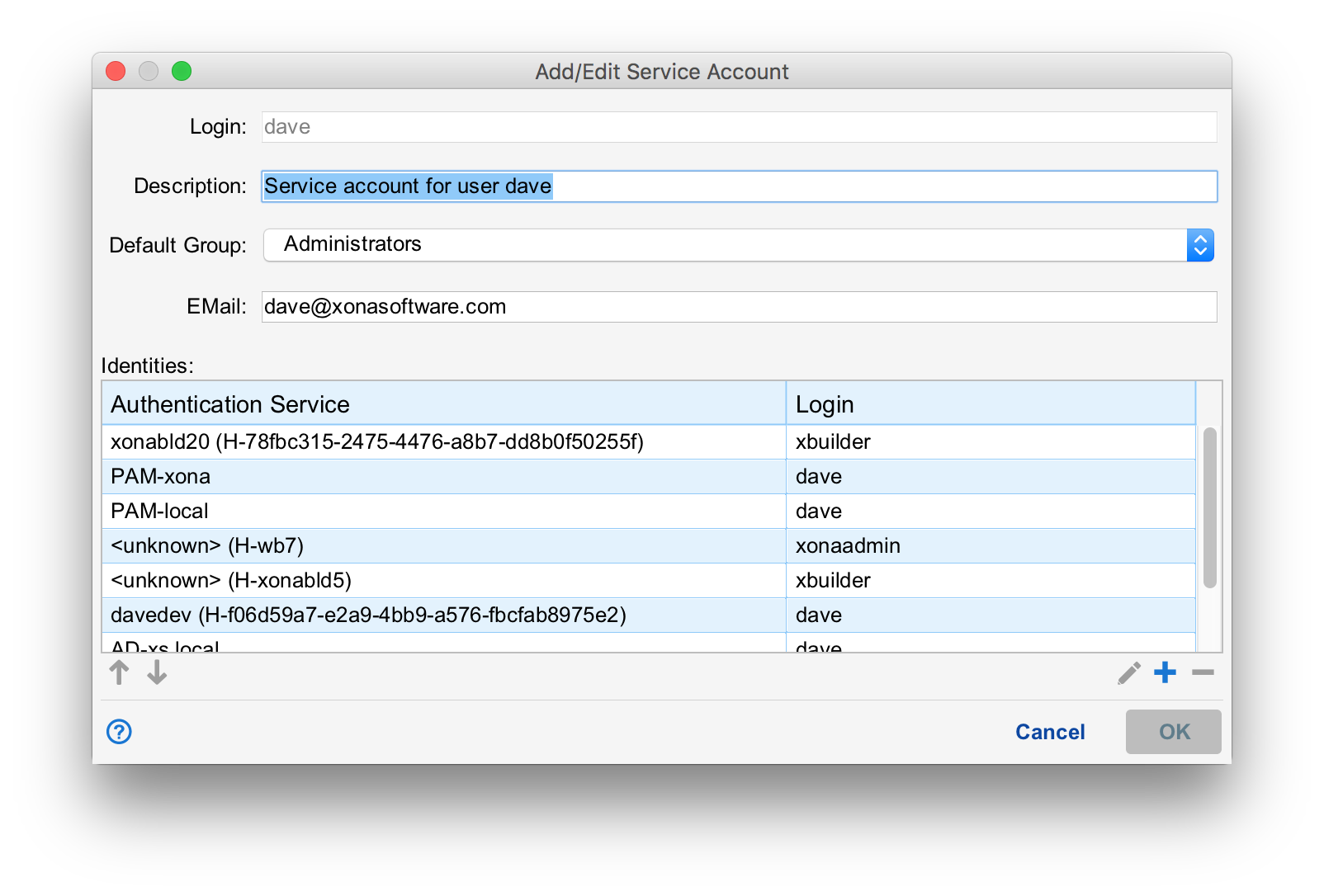
Then in the User and Service Account Editor, select "+" under the identities table to add a new identity.
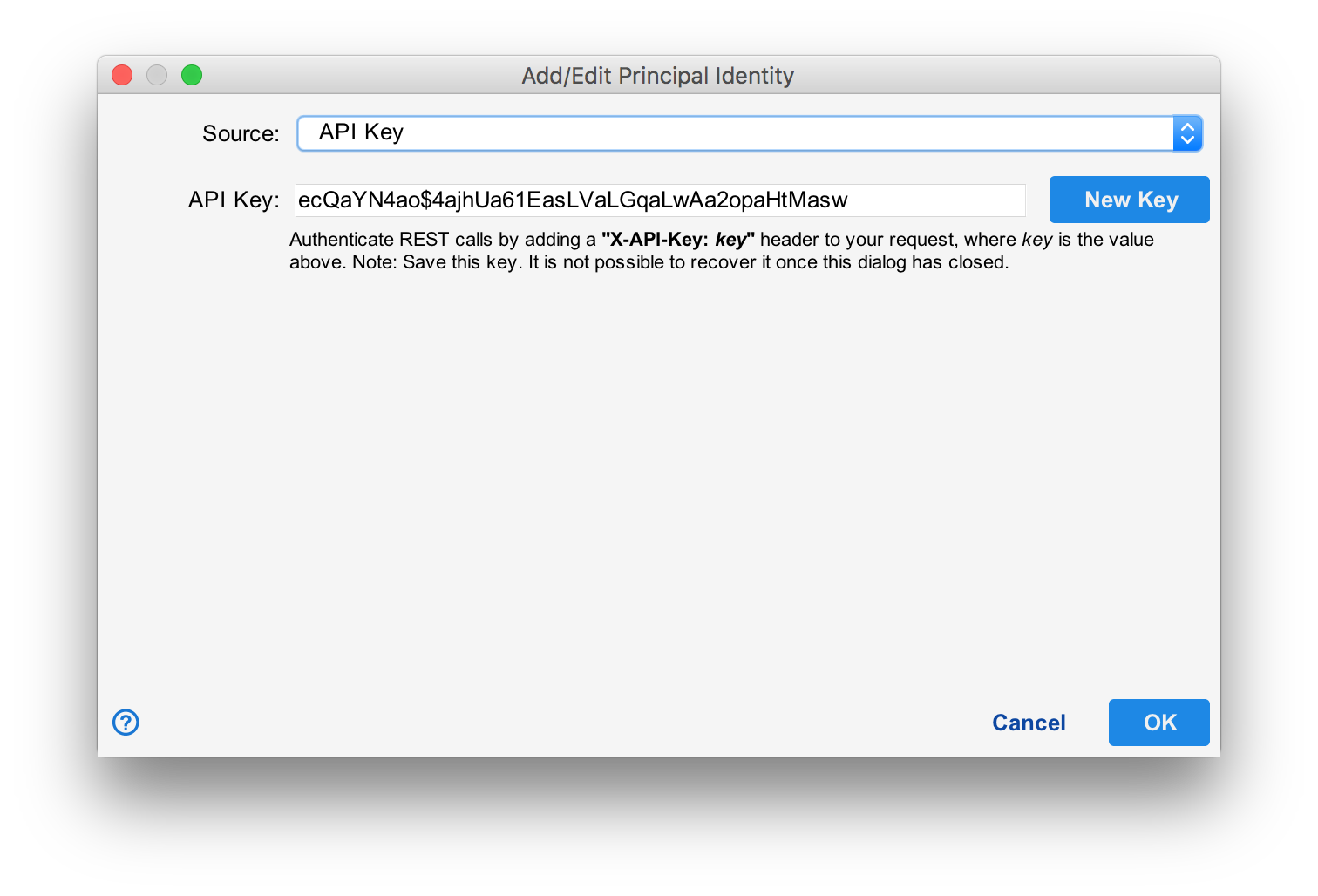
In the "Source" field, select "API Key". A new key will be generated and displayed. Save this key as it is not possible to recover the key after the dialog closes. Save the changes.
Using the Key
Pass the key as the value in the X-API-Key header.
bash
curl -k -v -H "Content-Type: application/json" \
  -H 'X-API-Key: YOUR_API_KEY' \
  -X GET https://localhost/situate/workflows