
Appearance
Web Service Endpoints
A web service endpoint describes a REST or other HTTP service that workflows call: where it is and how requests are authenticated.
Creating or Editing a Web Service Endpoint
Right-click Endpoints and select New Endpoint > Web Service, or right-click an existing web service endpoint and select Edit. See Endpoints.
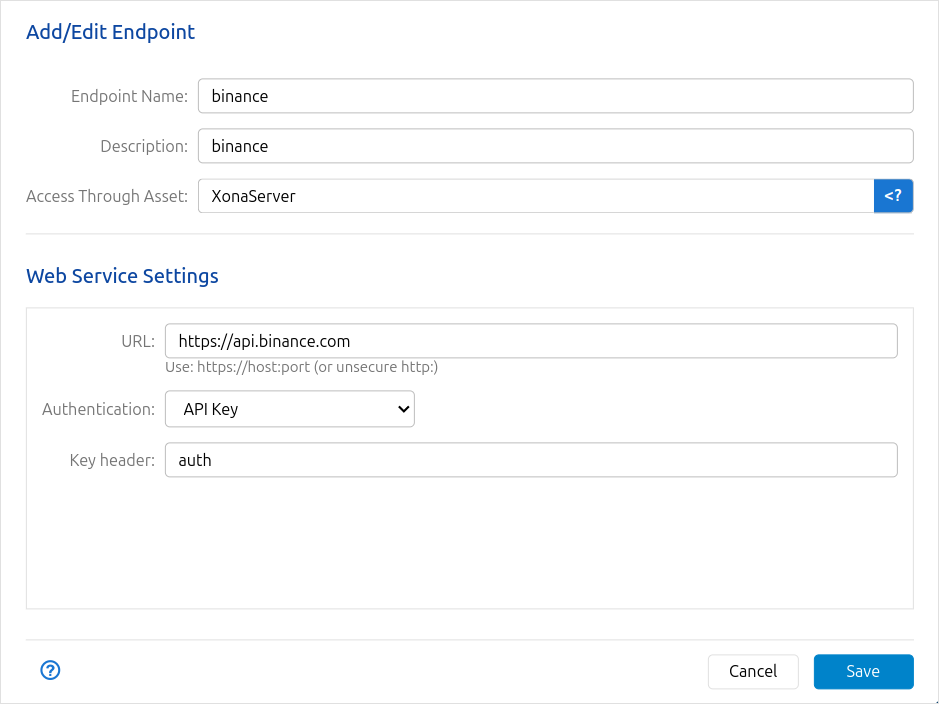
Settings
| Setting | Description |
|---|---|
| Endpoint Name | A unique name to identify this endpoint within Situate. |
| Description | A helpful description of the endpoint. Required. |
| Access Through Asset | The asset whose agent makes the requests. Usually XonaServer, the Situate server. |
| URL | The service's base URL, in the form https://host:port (or http: for an unsecured service). |
| Authentication | How requests are authenticated. See below. |
Authentication
| Authentication | What Situate does |
|---|---|
| None | Sends requests without credentials |
| Basic | Sends HTTP basic authentication. The login and password come from the workflow user's credentials for this endpoint |
| API Key | Sends the workflow user's API key for this endpoint in the header named in Key header (for example, auth) |
| API Key and Secret Key | Sends the API key in the header named in Key header, and signs each request with the secret key (see below) |
The login, password and keys aren't stored in the endpoint. Each user or service account that calls the service needs an Endpoint specific authentication identity for this endpoint. See Identities.
Signed Requests
With API Key and Secret Key, Situate also adds a signature to each request:
| Setting | Meaning |
|---|---|
| Signature | Where the signature goes: Append to URL as query parameter (enter the parameter name) or Add header (enter the header name) |
| Algorithm | SHA-256 Sum, or SHA-256 HMAC w. Secret Key |
| Compute as | The text the signature is computed from, as the service's documentation describes it |
Testing
Web service endpoints have no Test button. To check the settings, run a workflow that calls the service.