
Appearance
Transform
The Transform task can operate on a dataset to massage or transform the data - providing a poor-mans ETL operation.
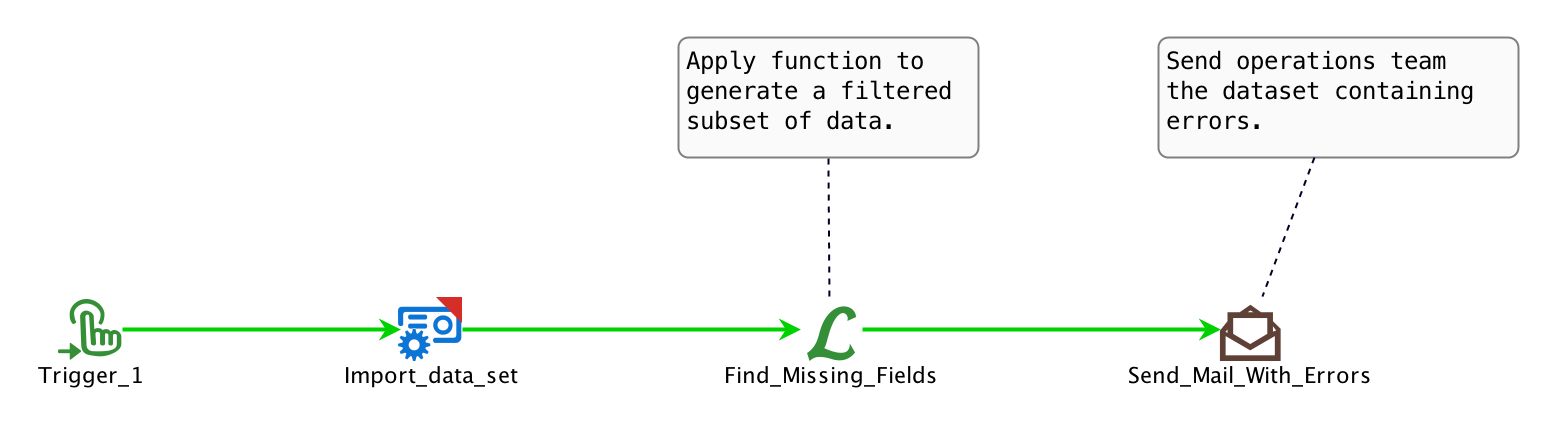
In this example, the Transform task demonstrates finding missing entries in a CSV dataset. In this case, instead of actually changing the data it will capture all the missing entries into another variable. This is then passed on to an Email task that will forward these missing entries or errors onto a support team.
The Transform task's configuration from the example above is shown below.
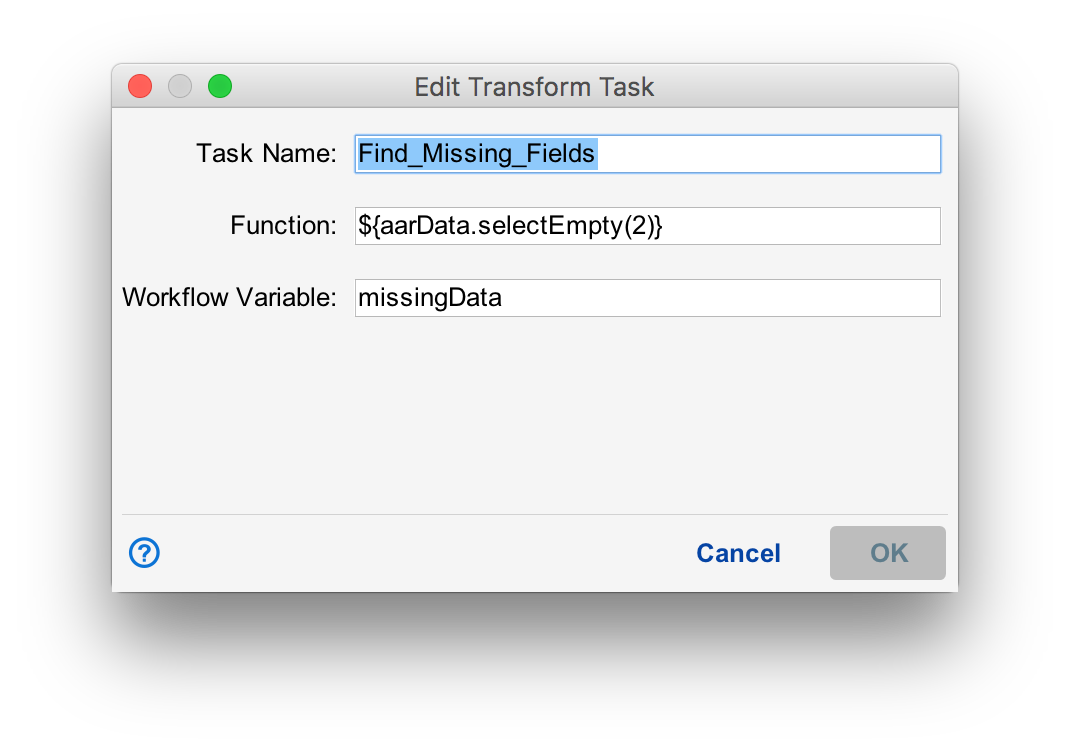
In Function entry, notice how we configure the Transfer task to indicate what operation to perform, on the data. Situate provides a number of internal functions that can be applied. See below for a list of the available functions that can be used with the Transform task.
Also, notice how we can capture the output into a variable as defined in the Workflow Variable entry. This variable can be used in later tasks. As noted above, this particular example captures the missing entries into the variable missingData. It is then used with the Email task.
| Function | Description |
|---|---|
| selectEmpty(colId) | Finds cells that are empty in all rows of a CSV dataset. colId: The column index to search. Returns all missing data |
| replace(searchText, replaceWithText, colId) | Finds cells that match on the searchText in all rows of a CSV dataset and replace with that in the replaceWithText. colId: The column index to search. Returns all replaced data |