
Appearance
CSV to Db
The CSV to DB task parses data from CSV files and places them into a database table. From there, the data can be further processed.
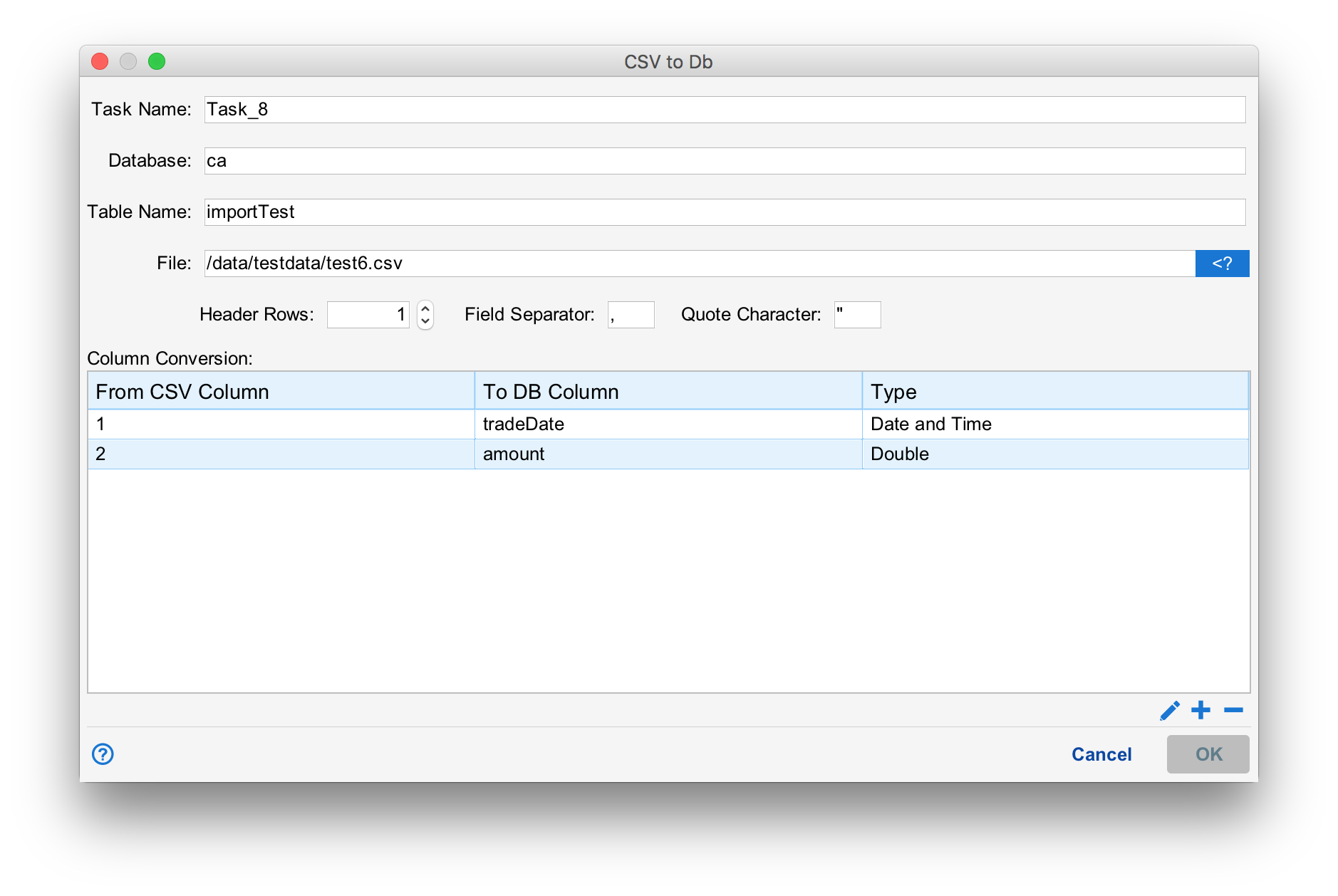
To configure the task, enter a task name, the database endpoint and a table name. If the table does not exist, Situate will create it. The table must be in a certain format as described below. Also, specify a file name, number of header rows and the field and quote characters used in the .CSV file.
Column Conversion
The column conversions map a field in the .CSV file to a column in the database. Press the "+" button to add a column conversion, the "-" button to remove the selected one or the pencil button to edit an existing one.
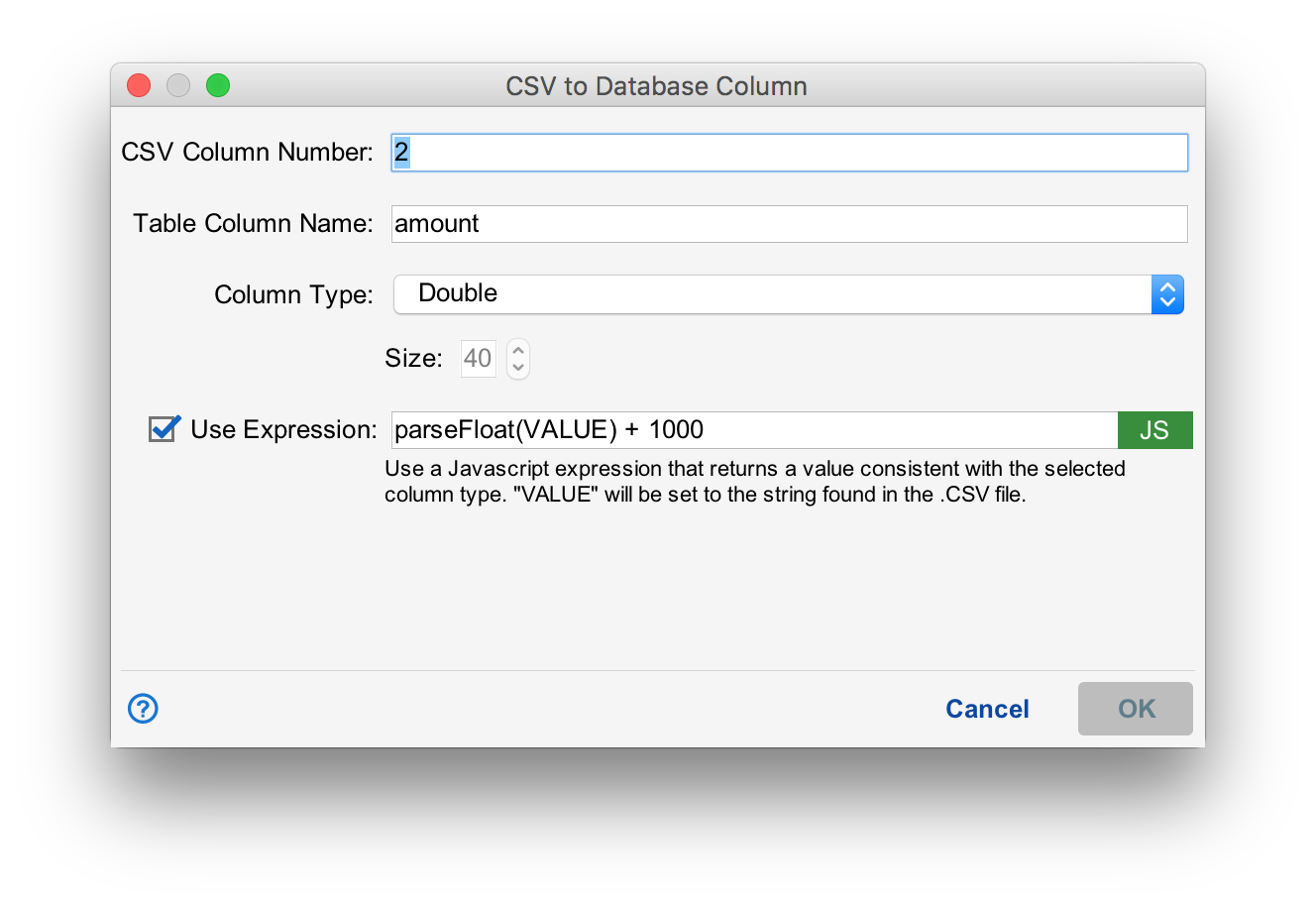
The values are as follows:
| CSV Column Number | The column number (starting from 1) in the .CSV file to copy from. |
|---|---|
| Table Column Name | The column to write the value from the .CSV file. The value will be converted based on Column Type. |
| Column Type | The type of the column. When copying data, Situate will convert the textual data found in the .CSV into a value of the proper type. In the example above, the column type is "Double" so the value will be converted into a double precision floating point value. If the table does not exist, Situate will create the table column to match the Column Type. In this case, "DOUBLE". |
| Size | Some column types (such as strings) need a field size. For example, if "String" is chosen, Situate will map the data into a VARCHAR with the length "Size". |
| Use Expression | When selected, Situate will use the Javascript expression provided to convert the value from the .CSV file to the target type specified in "Column Type". A special variable "VALUE" will be set to the string value from the .CSV file. It is expected that the result of the expression can be converted to the type specified in Column Type. Otherwise, an error will be recorded. |
Errors
The table into which data is copied must have a VARCHAR field called "errors". Situate records a JSON-encoded array of errors that occurred while parsing each row. If there are no errors, the errors column is set to NULL.
Errors can occur for a number of reasons but primarily, the data found in the field cannot be converted to the column type specified.
Database Mapping
The following describes the values of "Column Type" and the resulting database column. Every attempt has been made to use types that are standard SQL. However differences in different database implementations change these slightly. The values shown here are for the MySQL database.
| Column Type | Description | Database (SQL) Type | Size Required |
|---|---|---|---|
| Date | A date and time. If no time portion is parsed, the time will be set to midnight. | DATETIME | No |
| Double | A double precision floating point number. | DOUBLE | No |
| String | A string (list of characters). | VARCHAR | Yes |