
Appearance
Basic
The basic edge controls sequence flow based on success, failure or completion of the prior task. It's the most common edge.
Double-click an edge in the workflow designer to open Edit Basic Edge.
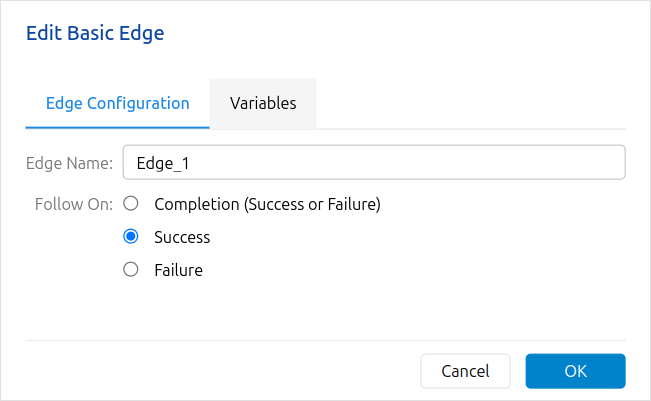
| Setting | Meaning |
|---|---|
| Edge Name | The edge's name |
| Follow On | When the edge is followed, based on how the prior task ended: Completion (Success or Failure), Success or Failure |
Variables
All edges can set or change variables when the edge is followed. Use the Variables tab.
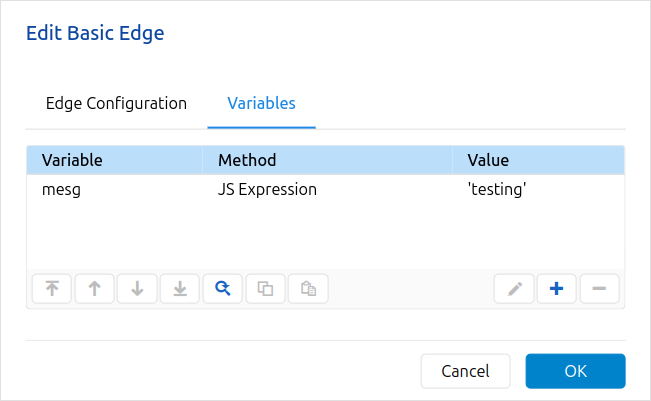
Each row is a variable assignment: the Variable to set, its Method and its Value. The assignments are made in order, top to bottom, each time the token crosses the edge, so a later row can use a variable set by an earlier one.
Use + to add a row, the pencil (or double-click) to edit the selected one, and − to remove it. Both open the Edit Variable dialog. The buttons on the left move the selected row to the top, up, down or to the bottom; the others search and replace, and copy and paste rows (for example, between edges and triggers).
For an example, see Assigning Variables with Edges.