
Appearance
Assigning Variables with Edges
Every type of edge is able to interact with the value of variables via Javascript expressions.
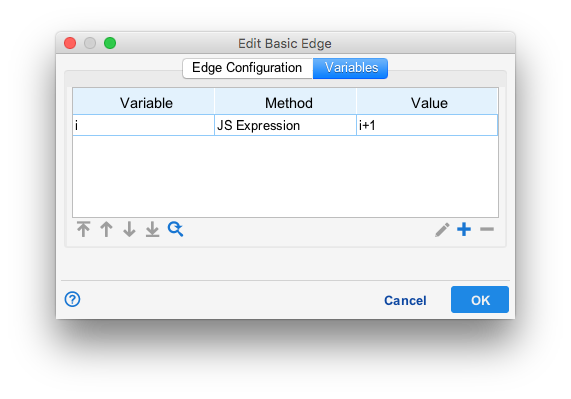
In the example above, a basic edge has been configured to add one to the value of the variable i when the token moves across it.
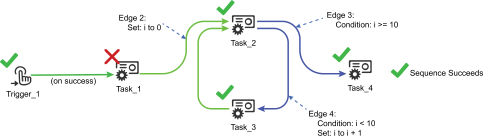
In the example above, Edge 2 sets the variable i to zero. Then, a pair of expression edges are used to create a loop in the workflow. Since edge 3 is satisfied whenever i reaches 10, while Edge 4 is followed when i is less than 10, the token will pass between Task_2 and Task_3 once for each value between 0 and 9 before proceeding to Task_4.