
Appearance
Email
The Email trigger starts a workflow whenever an email matching certain critera is received.
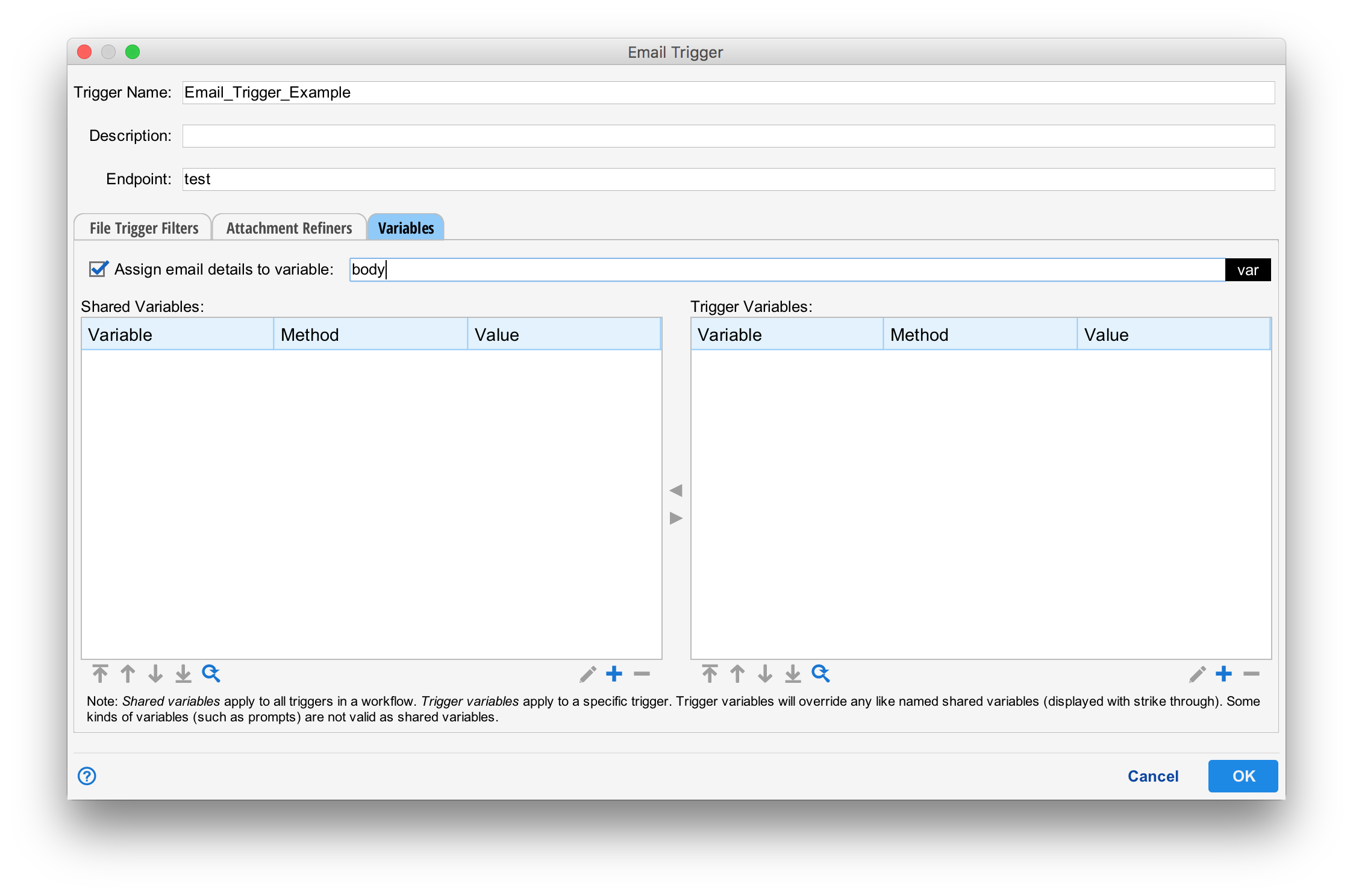
Like all triggers, the email trigger requires a name and description. Variables can be set just like any other trigger (See Passing Variables with Triggers).
Endpoint
The endpoint sets the source email server. This must be configured in advance.
Email Body
The "Assign email details to variable" check box causes a digested format of the email to be assigned. The format of this is discussed later in this page.
Trigger Filters
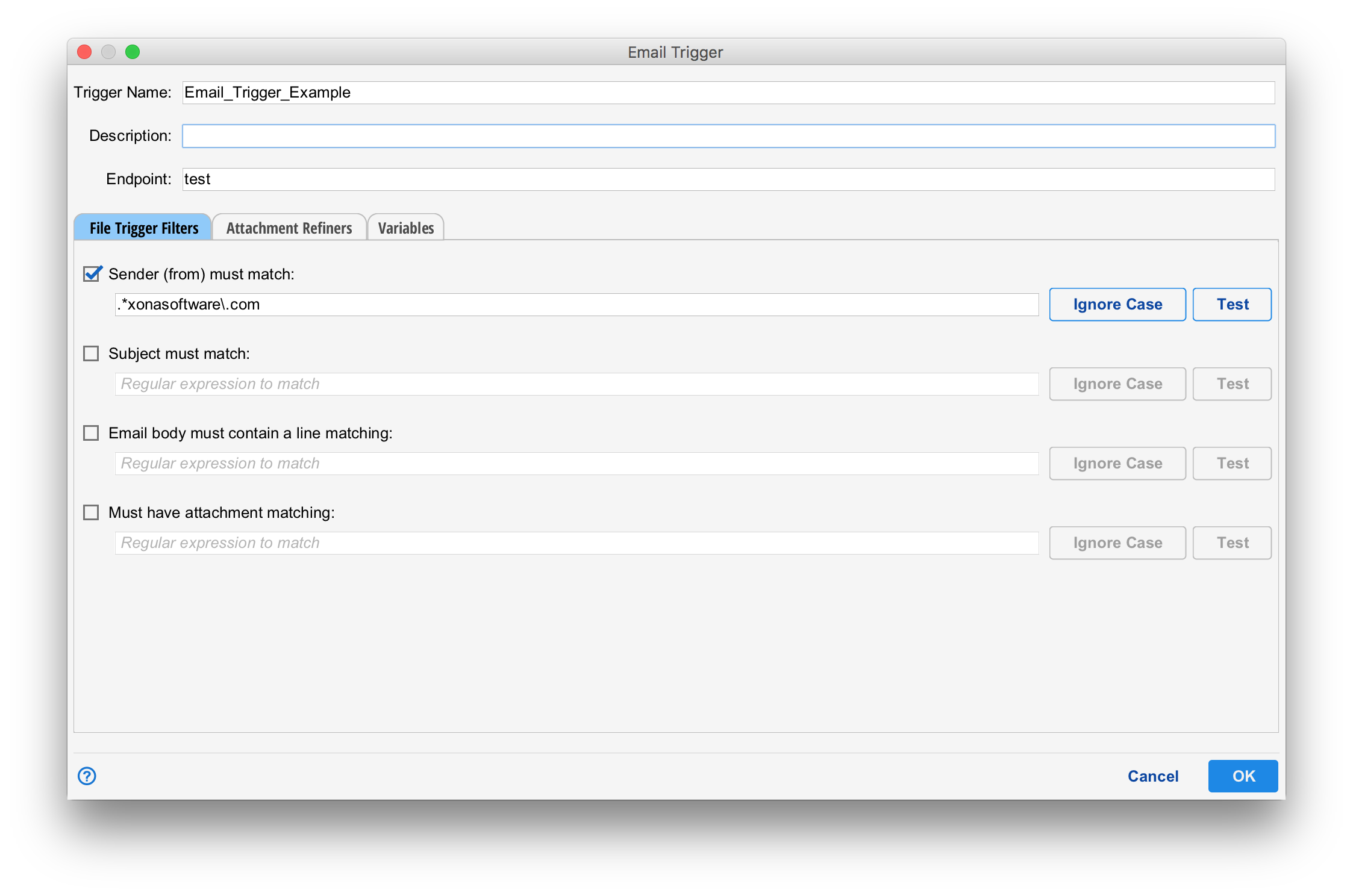
The first tab allows a set of regular expressions to be set for various fields of the mail. If set, the mail must match the regular expression for the trigger to fire.
Attachment Refiners
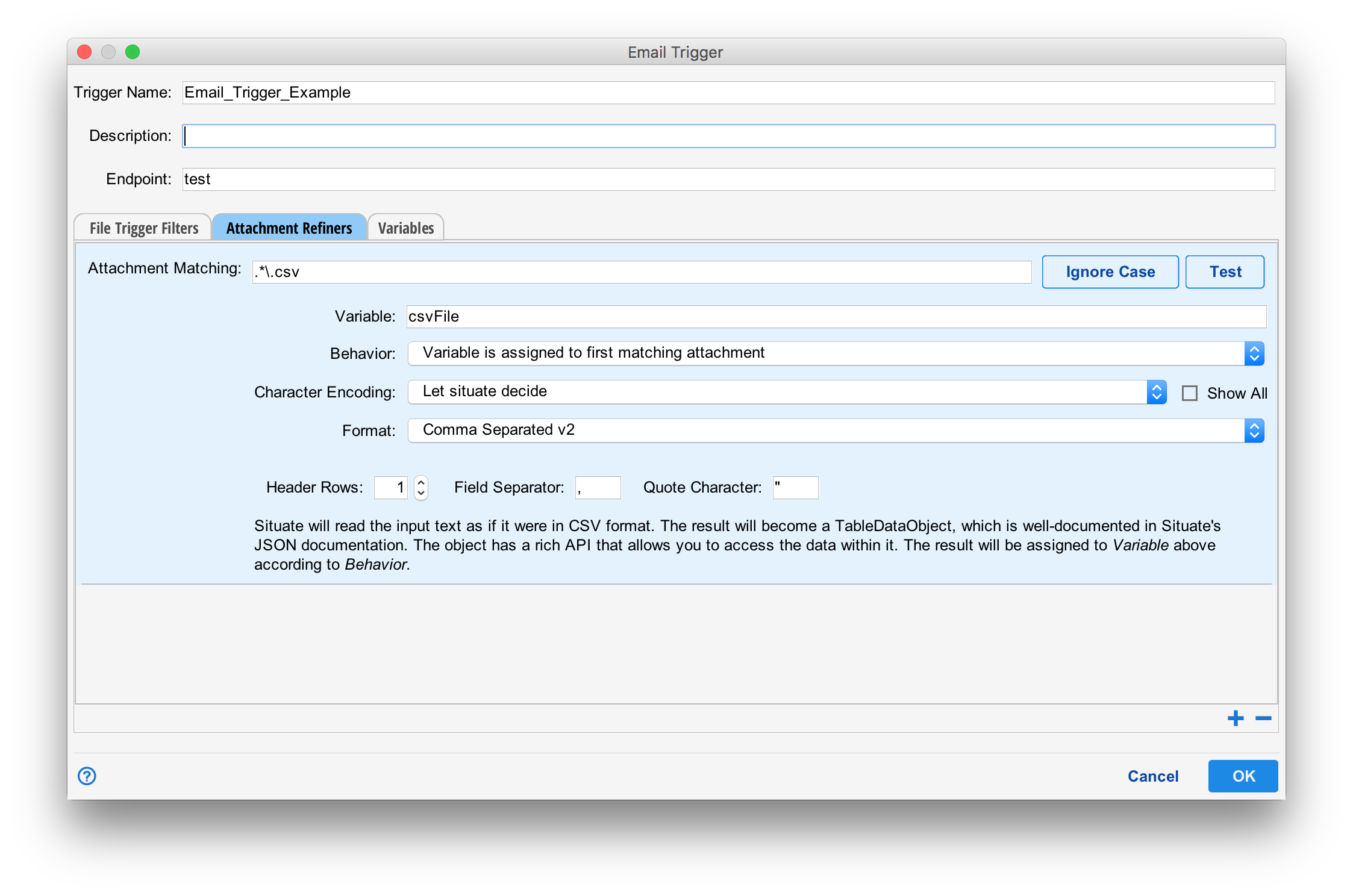
Attachment refiners look for attachments and processes them using the refiner framework.
Attachment Matching
The "Attachment Matching" field contains a regular expression matching the name of the attachment. In this example, it is looking for files ending in .CSV
Variable
The variable the result of the refine operation is assigned to. The type of the variable will be determined by the kind of refiner being used as specified by "Format".
Behavior
The behavior specifies how more than one matching attachment are handled. The options are:
- "Variable is assigend to the first matching attachment." In this case, only the first attachment, if any, are processed and assigned to the specifie variable.
- "Variable is an array of all matching attachments." In this case, the variable will be assigned to an array containing the same number of elements as there are attachments.
- "Fails if more than one attachment". In this case, the variable will be assigned to the first item and if more than one item are present, the trigger will fail.
Character Encoding
The character encoding of the attachment can be specified or can be set to "Let Situate decide". Input will be converted from its input encoding to UTF-8 for processing by situate.
Format
The format specifies which refiner is used. Any additional configuration is dependent upon the refiner chosen. As refiners can be dynamically plugged into situate, we will not docuement the list of potential reinfers here. Please refer to the documentation on refiners.