
Appearance
Tags
Tags are ad-hoc key / values pairs (or properties) that can be assigned to any workflow. Tags provide a way of labeling workflows so they are found in searches. For example, all workflows that deal with databases might have "database" set to "true" in a tag. This way, from the quick finder in the Queue View one can simply type "database" and see those workflows.
Tags also have implications to Javascript in that they are accessible through the Workflow API.
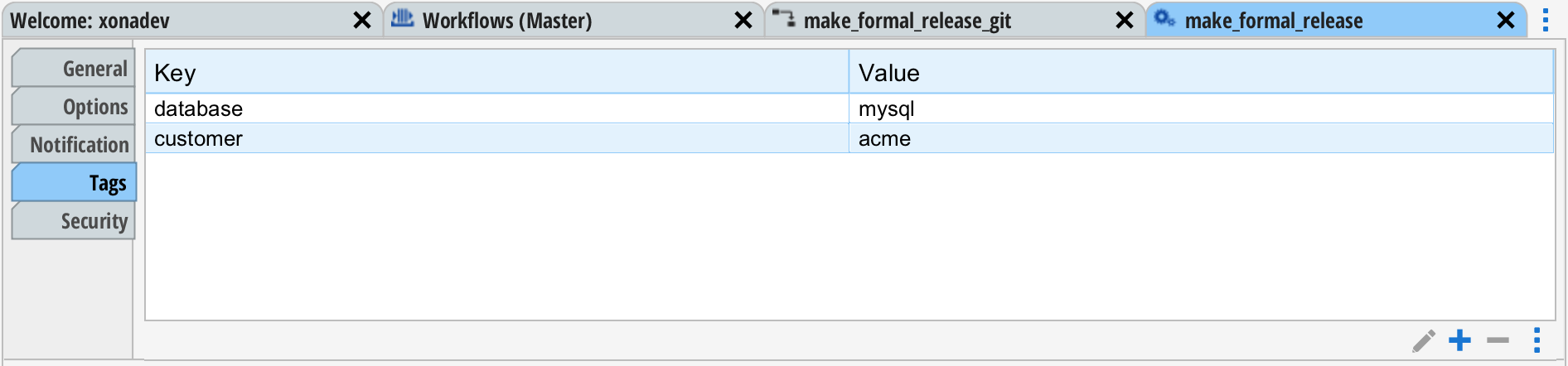
Tags are set on the "Tags" tab in the workflow designer. The "+" button at the bottom of the table can be used to create a new tag. The pencil icon can be used to change the value of a the selected tag, and the "-" button can be used to delete the selected tag.
Copying from Other Workflows
The menu button to the right of the '-' button can be used to copy tags from another workflow.
Tags on Groups
Tags can also be set on a workflow queue or workflow group within the Object Browers.
This done by editing the group (right-click on the group and select "Edit Group") and selecting the "Tags" tab. Tags set on the workflow override tags set at the group or queue level.