Appearance
Variable Methods
Situate currently supports five distinct types of variable:
- JS Expressions contain Javascript constructs such as strings, objects or executable Javascript expressions to be evaluated and used in tasks.
- Prompt User variables contain Javascript values collected at runtime from the user through configurable prompts and dialogs.
- Passed Parameter variables receive values passed from external callers such as MCP tools, calling workflows, or API calls. This method is offered in action, workflow and event triggers, and in application templates.
- Date Expression variables contain dynamic references to specific days of the week, month or year relative to the workflow at runtime.
- Configuration Item variables allow workflows to access data within CI through the CMDB.
The Edit Variable Dialog
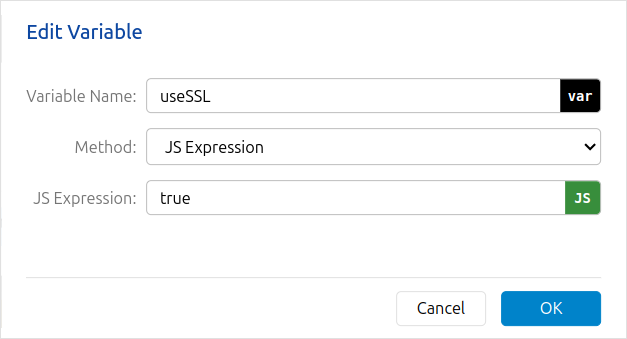
Triggers, edges and application templates all set variables with the same Edit Variable dialog. It opens when you click + or the pencil on a Variables tab, or double-click a variable there.
| Field | Meaning |
|---|---|
| Variable Name | The name of the variable to set. See Introduction to Variables for valid names |
| Method | How the value is given. The list only offers the methods that fit where you are; for example, Prompt User and Passed Parameter are only offered in triggers that can use them |
| Value | The field below Method changes with the method: a JS Expression, a Date Expression, a prompt, and so on |
JS Expression is only offered when the workflow has "Enable Javascript Evaluation" turned on (the default). See Workflow Options.
Date Expressions
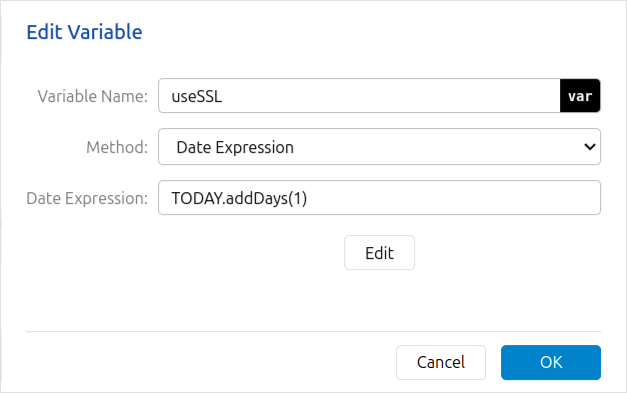
With the Date Expression method, the dialog shows the date expression as text (here, TODAY.addDays(1), meaning tomorrow at midnight). Click Edit to change it in the Date Variable builder. See Date Builder Expressions.