
Appearance
Embedded Scripts
Embedded scripts can be used when the command to execute is non-trivial and/or there is no convenient way to manage the command to run (such as there is no shared directory where it can be stored). When embedded scripts are used, Situate will take move a copy of the script to the target computer, execute it, and then clean it up.
Embedded scripts can also leverage template expansion to effectively rewrite the script before executing it.
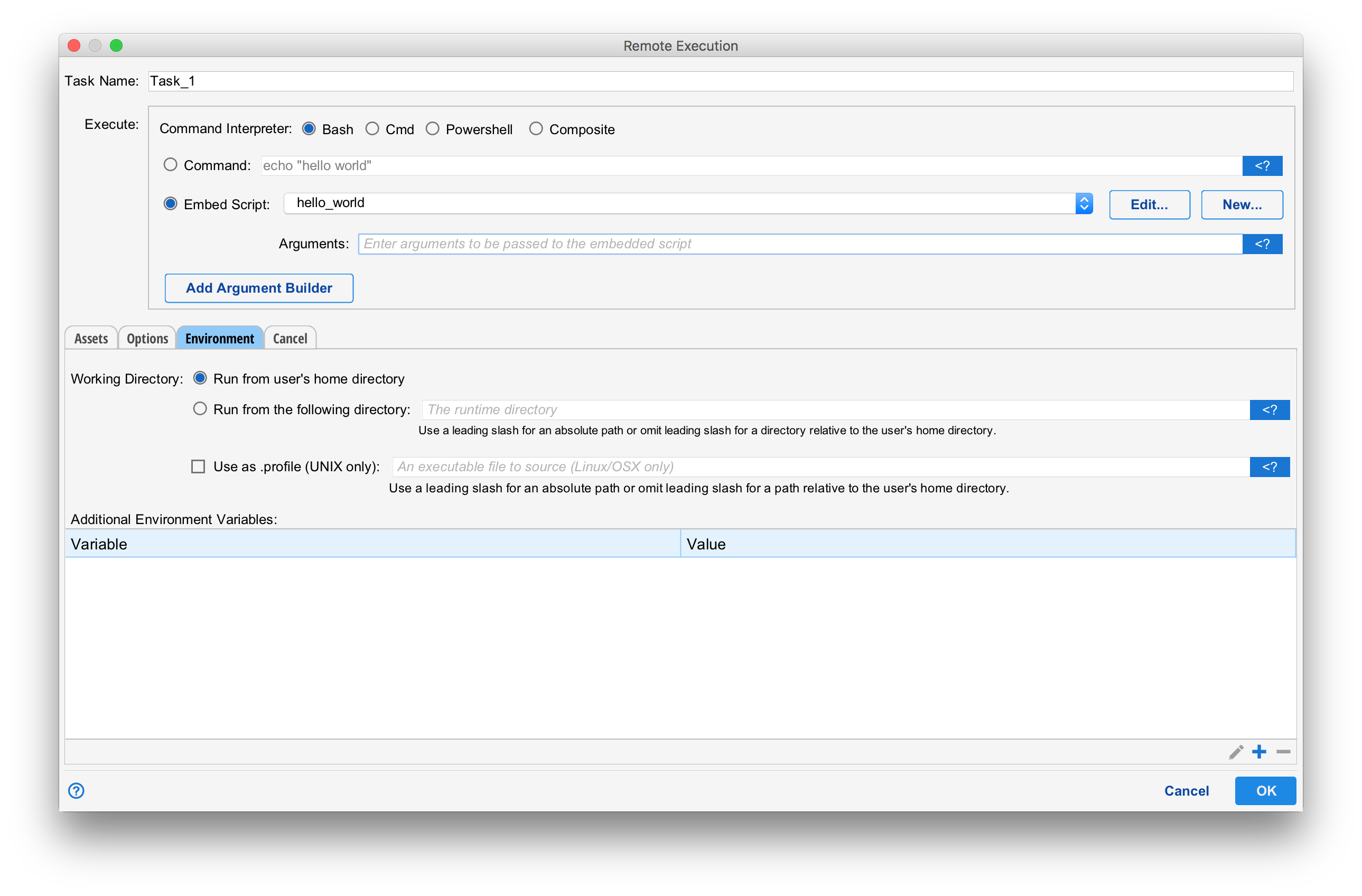
An embedded script is created from within the remote exec task by selecting the "Embedded Script" option and pressing the "New" button. An existing script can be selected in the embedded script drop down and edited, if necessary, by pressing the "Edit" button.
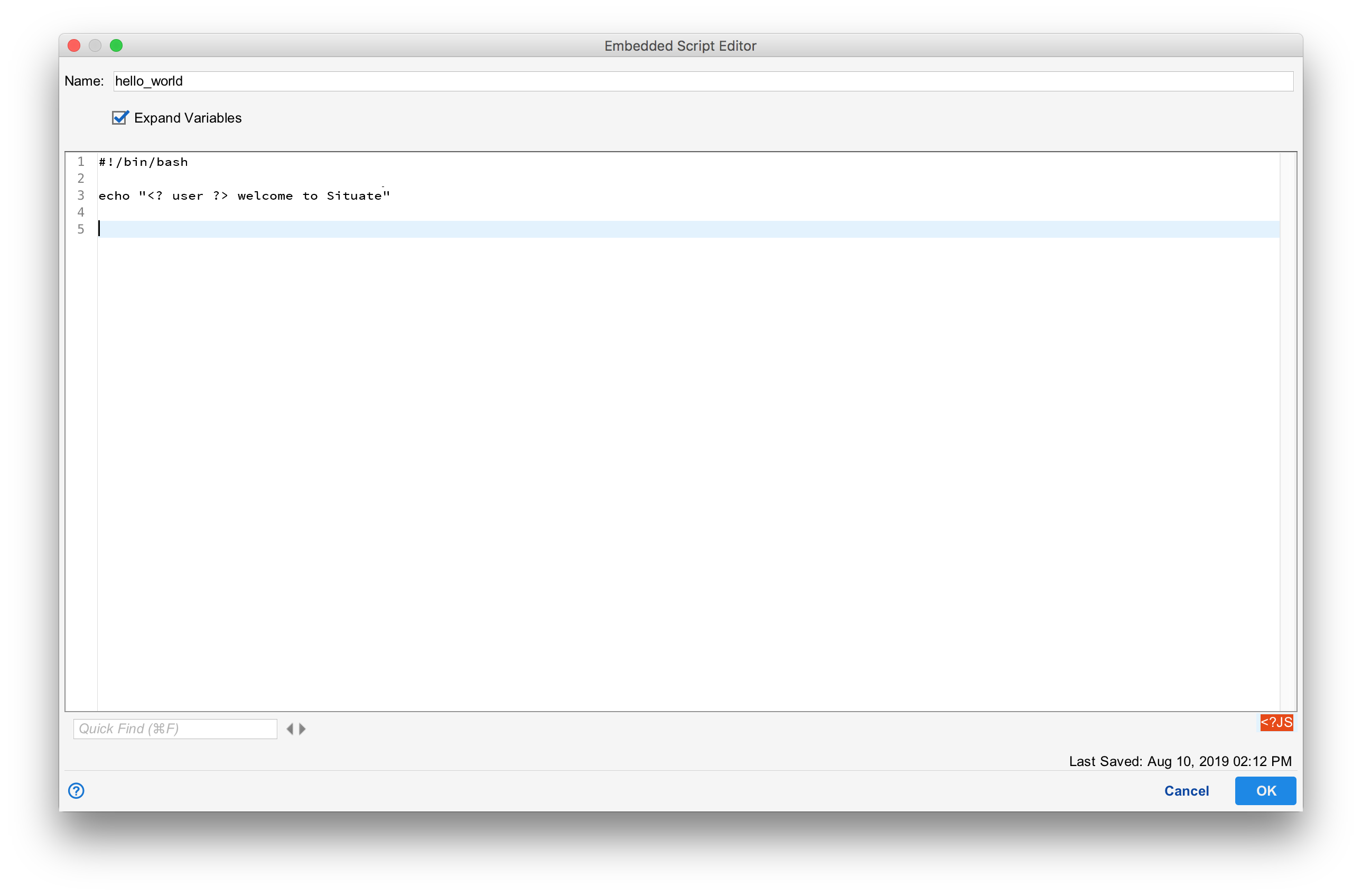
The embedded script editor allows you to author your script. Situate will take care of storing it, pushing it to an asset as needed, and cleaning it up when it's no longer needed.
Expanding Variables
If the "Expand Variables" check box is selected, Situate will process the file using template expansion.