
Appearance
Principals
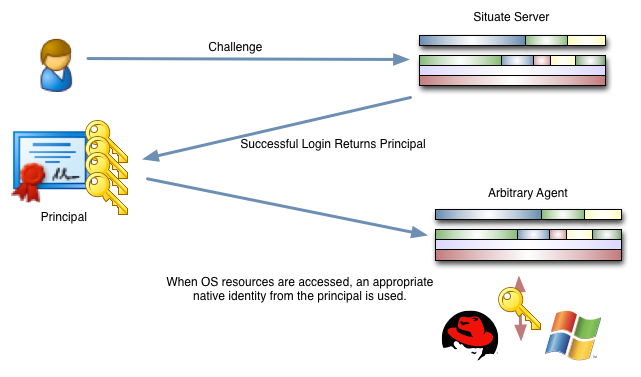
Whenever a user logs into Situate by satisfying a challenge (typically login and password), a principal is returned. The principal contains a set of security information such as the user name, the set of Situate groups, information about all of the identities associated to the user and other information. The principal is cryptographically signed by the Situate server and can therefore be presented to agents or other entities within the Situate ecosystem to authoritatively identify you.
Viewing the Principal
You can see your login principal by selecting "View" then "Login Principal" in the Situate UI. This useful when debugging security settings or verifying settings changes.
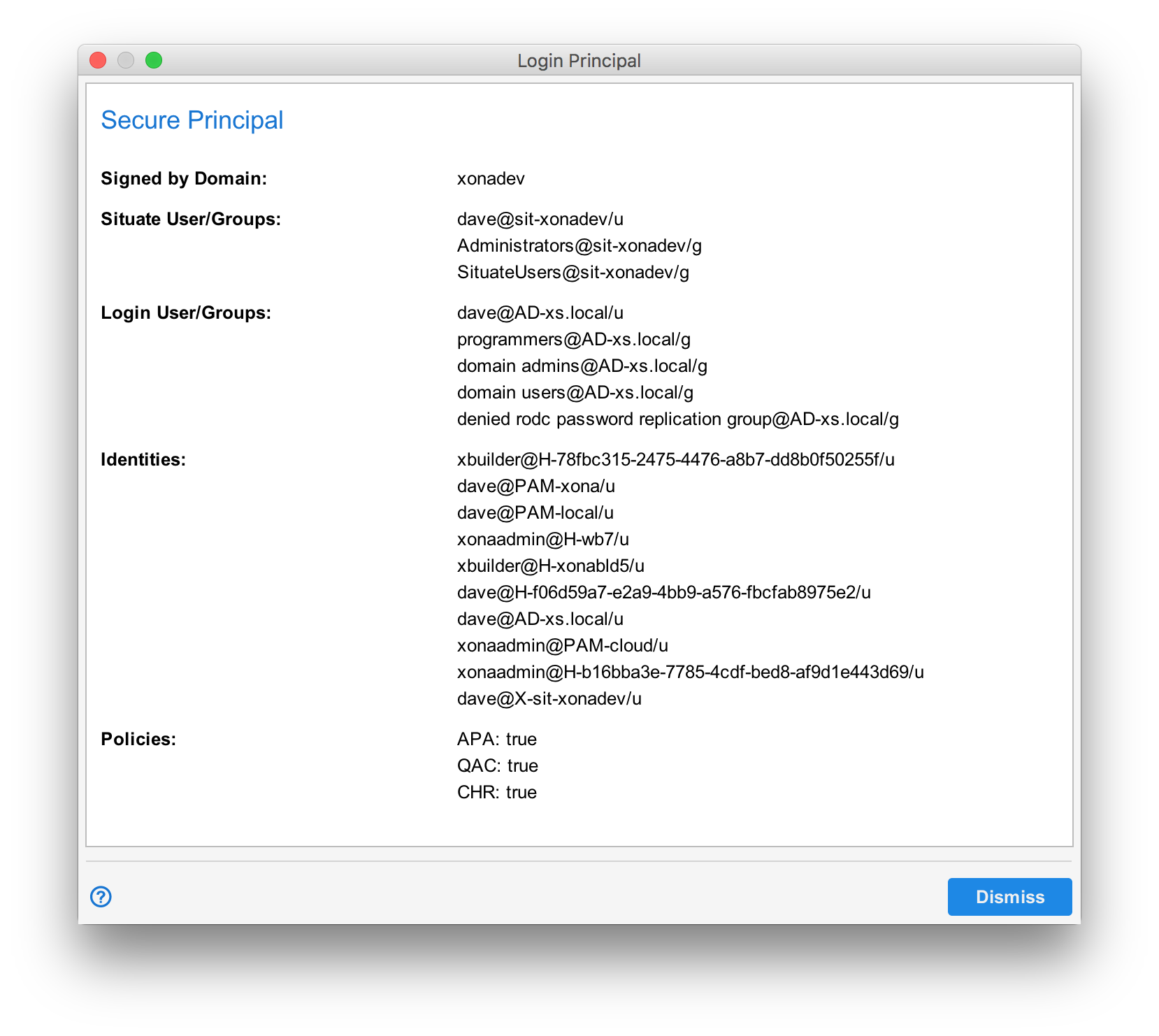
The principal has the following fields:
| Signed by Domain | The Situate domain that signed the principal. |
|---|---|
| Situate User/Groups | The name of the Situate user from "User and Service Accounts" in the browser followed by each of the Situate groups to which the user belongs. |
| Identities | The list of identities associated with the user. |
| Policies | The list of policies and any values those policies have. |
User and Group Names
In the image above names are of the form "(User or Group) @ Authentication Service" followed by "/u" or "/g". The authentication service corresponds to the authentication services setup under domain security. The name before the "@" is an actual user or group that belongs to that authentication service. "/u" and "/g" designate the name as a user or group, respectfully.
Policies
The policies section uses the three letter abbreviation of the policy. See Policies