
Appearance
Server Settings
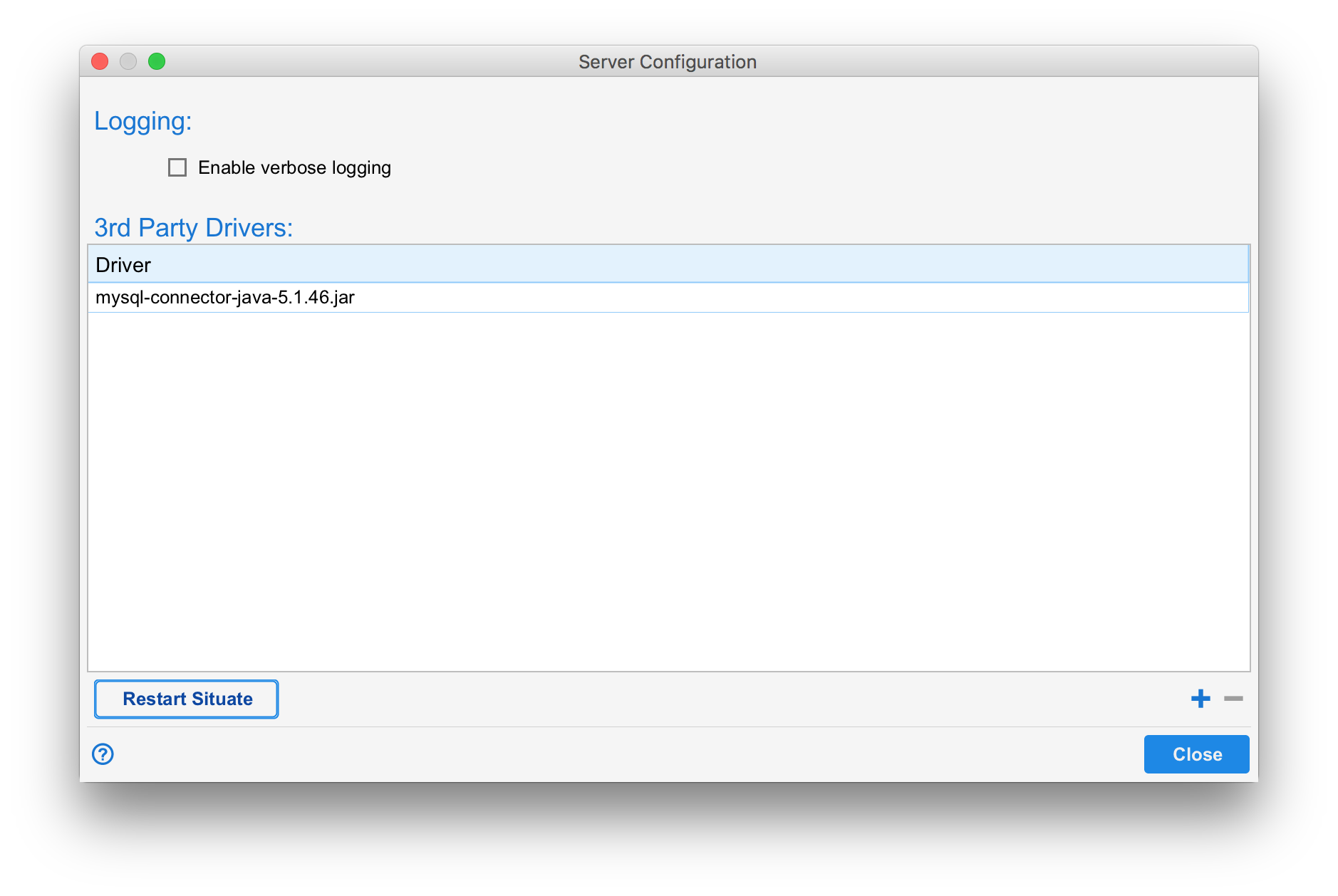
The server settings dialog controls server-specific settings pertaining to server logging and third-party drivers.
WARNING
Note: Only members of the Administrators group can access the domain administration tools.
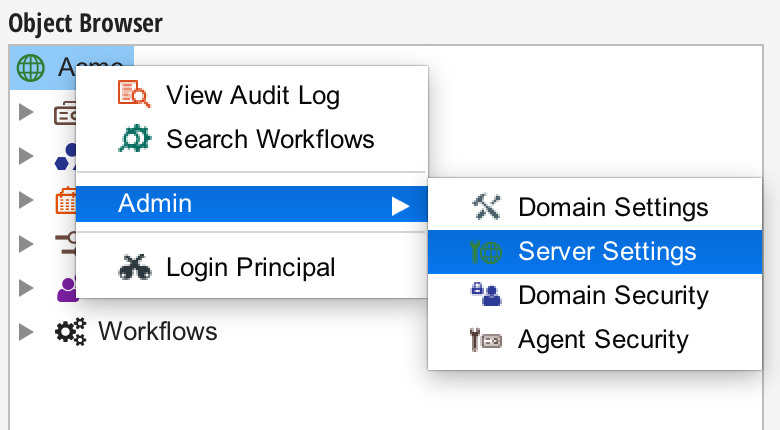
To open the server settings dialog, right-click on the domain-level object in the object browser, select the "Admin" menu, and select "Server Settings".
Logging
The "Enable Verbose Logging" checkbox in the server settings dialog causes Situate to generate a more detailed log. This can lead to large log files, and is not recommended unless necessary.
Third Party Drivers
Situate requires access to software or database drivers in order to interface correctly with certain third-party products. In some cases, these drivers cannot be distributed as innate Situate functionality due to their licensing. These drivers must be manually added to the Situate server.
To add drivers, click the "+" icon and select the .jar file to be added. To remove a driver, select it and click the "-" icon. Whenever drivers are added or removed, the server must be restarted to apply the changes made. Clicking the "Restart Situate" button will stop and restart the server automatically.